Navigate Tana's AI Features with Confidence
Cut through the learning curve with my free 7-day email course, then get weekly practical guidance that helps you build powerful AI workflows for work, school, or personal projects.
Cut through the learning curve with my free 7-day email course, then get weekly practical guidance that helps you build powerful AI workflows for work, school, or personal projects.
Tana's community shows incredible workflows, but adapting them to your needs can feel overwhelming. My structured approach helps you move from "this is cool" to "this saves me hours every week."
Get weekly insights, new AI workflows, and community discoveries delivered to your inbox. Stay ahead of the curve with the latest Tana AI developments and proven implementation strategies.
Learn practical AI implementation through my structured email course. Each lesson includes visual guides, downloadable templates, and real-world examples you can implement immediately.
AI-First Tana Strategist
VP Experience & Tech + Agency Co-founder
Profiled by The Washington Post as an early AI adopter, showcasing innovative automation workflows and AI integration strategies.
Look, I'll be honest with you. What started as casual curiosity about Tana's new AI features quickly spiraled into something that probably warrants an intervention.
For three straight weeks, I practically lived in the Tana Slack group. I was that person refreshing every channel, screenshotting every workflow, and testing every single AI prompt pattern I could find.
My Tana workspace became a digital museum of AI experiments. Seriously, it looks like a mad scientist's lab in there - templates everywhere, field configurations that make sense only to me, and enough AI commands to automate a small country.
Most Tana experts started with Tana and then added AI. I came at it backwards - I've been an AI power user for years, and now I'm laser-focused on bringing that experience into the Tana ecosystem.
This AI-first perspective means I see patterns and possibilities that might not be obvious if you started with traditional note-taking.
Using Tana daily to manage complex projects and strategic initiatives
Leveraging AI workflows for client solutions with my wife
From newcomer to daily power user in just a few months
I'm active in the Tana Slack community, sharing discoveries and helping others navigate the AI features. Join the conversation and let's figure this out together.
Join Tana Slack CommunityEveryone was asking the same questions, hitting the same walls, and making the same mistakes I'd already made (and solved) three experiments ago. That's when I realized my obsession might actually be useful to other humans.
I've already done the heavy lifting - the trial and error, the 2 AM testing sessions, the "why isn't this working" moments. Every week, I'll share the most useful discoveries from my ongoing experiments, complete with step-by-step guides.
Fair warning: my enthusiasm for AI automation in Tana borders on the inappropriate. But hey, that means you get the benefit of someone who genuinely loves figuring this stuff out.
What the Tana community is saying...
"Lisa & Simon are my new favourite Tana Influencers!"

Tana Ambassador
"Someone from Tana please send Lisa a hat. She deserves one."

Tana Community Super Helper
"Please stop talking to everyone about Tana all the time"
Lisa's Wife
"I love the infobombs! Keep up dropping!"

Tana Team
"Big thanks for all the cool stuff in community lately!"

Tana Team
"Have you considered standup comedy? Or at least an anon PKM parody meme account… id follow!!"
Tana Team
"That's great to hear your template is so close to release! Sounds like something I could use."

Tana Ambassador
"Beautiful! Thank you Lisa Ross"

Tana Community Member
From beginner-friendly tutorials to advanced workflow automation, get the complete toolkit for transforming your Tana experience.
Learn Tana's AI features through structured daily lessons. Build a complete article processing workflow from scratch with visual guides and copy-paste templates.
Stay ahead with weekly Tana AI insights, community discoveries, and proven workflow strategies delivered to your inbox.

Learn with screenshots, video walkthroughs, and detailed instructions that make complex AI workflows simple to follow.
Download supertag templates, AI prompts, and field configurations that you can implement immediately in your workspace.
Get help from an experienced Tana user who understands the challenges of implementing AI workflows in real-world scenarios.
Here's what nobody tells you about AI: context is everything. It's all the background information that makes AI responses actually useful—your project details, client preferences, brand guidelines, writing style, and specific requirements.
The Problem: The more AI tools you use, the more context you accumulate. Soon you're:
That's where ContextOS comes in. Imagine typing @Client Name in Tana and instantly getting all your client's context, ready to paste into any AI tool. No more explaining, no more starting over—just instant, perfect context every time.
Be the first to know when ContextOS launches. Get early access and exclusive setup guides.
No spam, ever. Unsubscribe with one click.
@ Command Demo
Type @Client Name and get instant context
Template Structure
Organized context templates in Tana
AI Integration
Copy-paste ready for any AI tool
Built specifically for Tana users who want to unlock AI's full potential
Type @Client Name to find specific client context, @Global Context for common instructions, @Project Name for project details. Context is organized into expandable types you can customize, but the template gets you started with a system that works.
Hit a button in Tana and get perfectly formatted context for any AI tool. Your project details, client preferences, and background info—ready to paste into ChatGPT, Claude, or wherever.
The more you use AI, the more context you build. ContextOS uses Tana's architecture—nodes, supertags, fields, commands and agents—to keep it all organized, so your AI responses get better and more personalized over time.
Pre-built Tana structures for clients, projects, and brand guidelines. Like any Tana template, you'll need to set it up and customize it for your needs—but the foundation is already built for you.
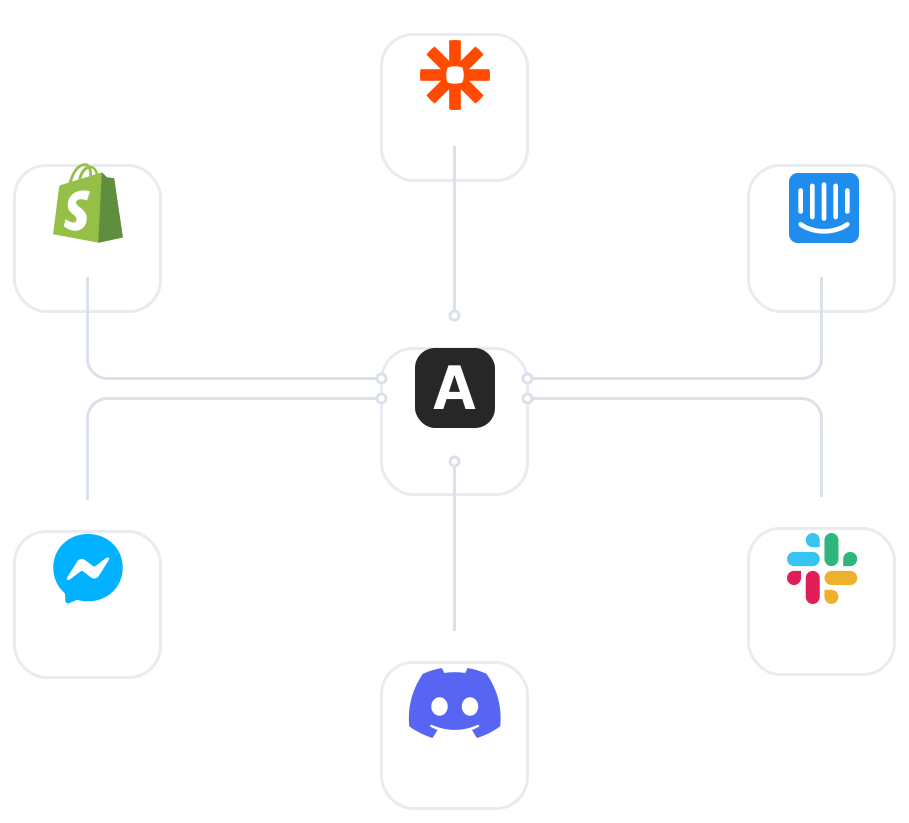
Whether you're using ChatGPT, Claude, Perplexity, or the next hot AI tool, your context comes from the same place. One source of truth, infinite possibilities.
With instant context access, you'll find yourself using AI for things you never thought possible. Content creation, client communication, project planning—it all becomes unlocked.
Join my 7-day email course and learn practical AI implementations that will save you hours every week. Start building AI-first workflows today.